
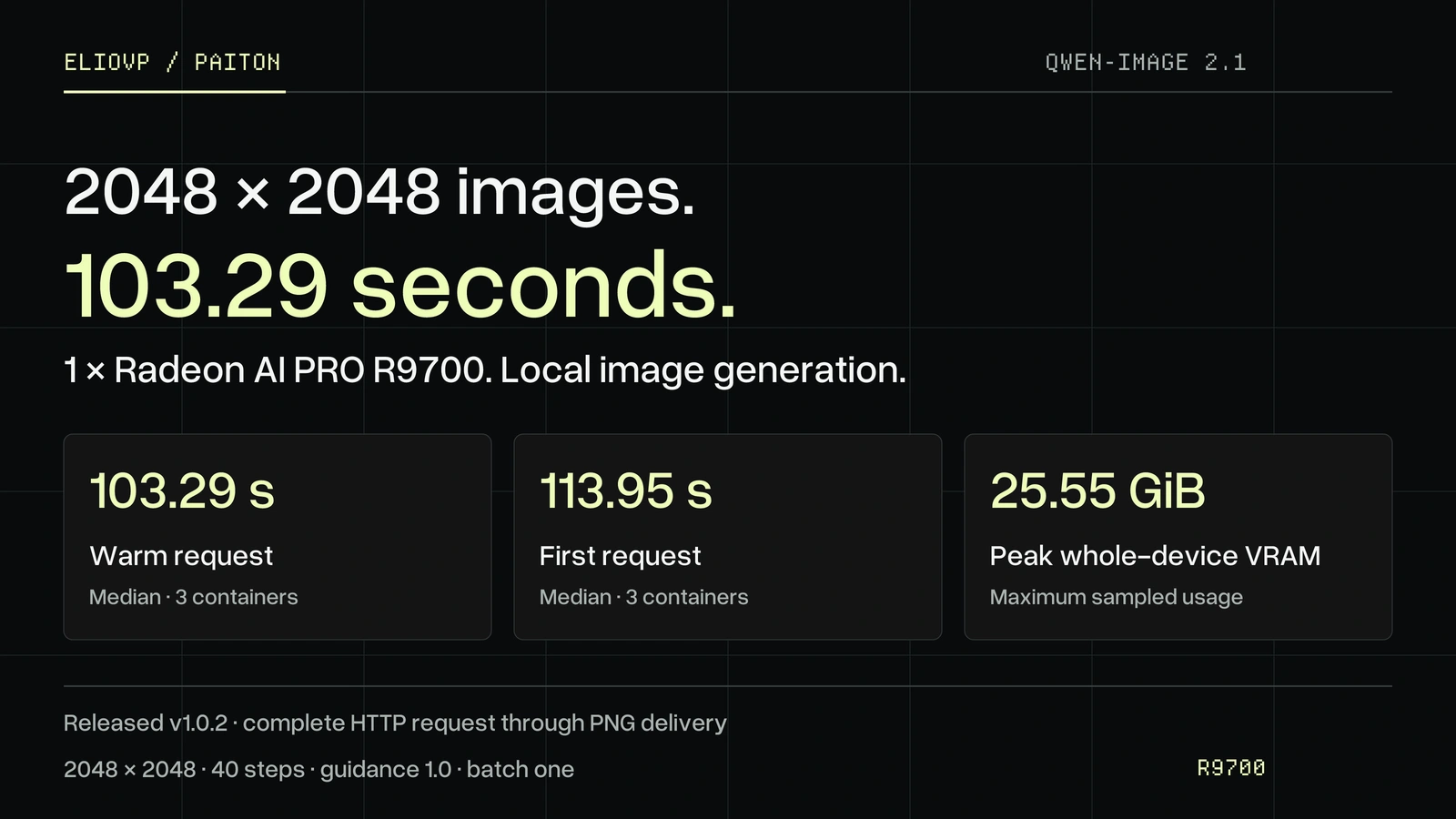
When an image is generated on your own workstation, you can revise the prompt and try again without sending the request to a cloud image service. The released Qwen-Image 2.1 v1.0.2 package makes 2048 × 2048 image generation practical with 1 × Radeon AI PRO R9700 (32 GB).
In three fresh containers, the default profile's median warm request took 103.29 seconds, from submitting the image request through receiving the PNG. That is about 37% less time than the separate, historical v1.0.1 container repeat at 165.14 seconds. The first request took 113.95 seconds. These are measured release results for this one GPU and workload, not a promise for every prompt or another card.
The checkpoint, resolution and 40 denoising steps stay the same. The text encoder, image model and VAE remain on the GPU: no CPU offload or VAE tiling. The default profile gains speed by deliberately using lower precision after the first seven denoising steps. Choose the exact profile when more precision margin matters. Both options are available in the public container.12
A complete image request, measured
2048 × 2048 pixels, 40 steps, guidance 1.0, batch one, unchanged balanced MXFP4 checkpoint, one 32 GB R9700. Bars show warm complete HTTP request time through PNG delivery. These are separate release repeats, not one matched experiment. Published measurements · chart data.
| Published container runtime | Warm request | First request | Peak VRAM | Samples |
|---|---|---|---|---|
| v1.0.1 historical repeat | 165.14 s | 179.32 s | 28.34 GiB | 3 processes |
v1.0.2 exact | 133.74 s | 147.83 s | 25.33 GiB | 1 container |
| v1.0.2 default | 103.29 s | 113.95 s | 25.55 GiB | 3 containers |
The three-process timings are medians; exact is one validation run. VRAM is the maximum sampled whole-device usage across each row's requests, sampled at nominal 5 ms intervals. The clock starts when the request is submitted and stops after the complete PNG response is received. It includes text encoding, image generation, VAE decoding and PNG delivery. It excludes model download and server startup.
The 37% figure compares separate published-container release repeats. The source also reports controlled, matched checks within v1.0.2, but those have a different sample design and values. We do not combine the two into a single matched benchmark. The earlier 103.64-second qualification result is distinct from the 103.29-second published-container result shown here.2
Start creating on your R9700
Prefer a visual workspace? Paiton Studio brings supported local image, video and writing tools together in your browser. Check its current tool list for model availability. The commands below run the specific Qwen-Image 2.1 container measured in this article.
You need Linux, Docker, a working AMD GPU driver and at least 30 GiB of free device memory before loading. Run one image worker at a time. The first launch downloads and verifies about 9.33 GB of checkpoint files; later starts reuse the persistent cache. From a checkout of the public model guide:1
git clone https://github.com/Eliovp-BV/paiton-vllm-plugin.git
cd paiton-vllm-plugin
git checkout 6586aa618610aed596d2720fbb5768c181bf1011
./models/Qwen-Image-2.1/serve-docker.sh
Wait for the READY message. In another terminal, submit a prompt and save the PNG:
python3 models/Qwen-Image-2.1/request.py \
  --prompt 'A neon shop sign that reads "QWEN IMAGE 2.1", rainy night, reflections on wet pavement' \
  --size 2048 --seed 42 --output outputs/neon.png
Run the client from the same repository directory. Give each new request a new output filename; the client does not overwrite an existing image.
For more precision margin, stop the default worker and start the same released image with the exact profile:
./models/Qwen-Image-2.1/serve-docker.sh serve --precision-profile exact
It measured 133.74 seconds warm in its one published-container validation run. The image API also accepts JSON at POST http://127.0.0.1:8191/v1/images/generations. The included request.py client handles the base64 response and writes the PNG. This image API is separate from paiton serve language-model presets; use these model-specific launchers and request commands.1
The qualified package also supports transparent PNG generation at 1024 or 2048 square and editing one input image to a 1024-square output. Those modes have their own quality and performance boundaries; the 103.29-second figure is for the text-to-image workload above.
Why the default is faster, and when to choose exact
The model weights do not change between these runtime profiles. In the default, the cached text pass and first seven denoising steps use the exact path. Later steps use lower-precision calculations. This reduces the time spent generating while keeping the early composition steps at the exact profile's precision for the same quantized checkpoint. exact keeps that arithmetic through all 40 steps.12
The default passed a bounded quality screen against images from its own exact profile. It was not a test against the original unquantized BF16 weights, nor a guarantee of identical pixels or quality on arbitrary prompts. The 2048-square transparent RGBA case passed only narrowly: 35.02 dB PSNR against a 35 dB threshold. For transparent artwork or other work needing more margin, use exact at about 134 seconds warm in the container check. The guide also documents an intermediate schedule-int8-11 option.2
Both profiles keep all model components GPU-resident. The reported 25.55 GiB default peak and 25.33 GiB exact peak are whole-device samples, not model download sizes or a promise that a smaller card will work. The released launcher qualifies the R9700 with RDNA4 gfx1201, not every Radeon or every 32 GB GPU.13
Inspect the release and its terms
The setup guide contains the current container, direct-generation, editing and offline instructions. The benchmark report gives per-run timing, memory, quality checks and limits. The Hugging Face companion provides the checkpoint and model card; the v1.0.2 runtime comes from the public container, not the card's original packaged loader.
The Qwen Research License on the model weights permits noncommercial research and evaluation; commercial use requires a separate upstream license. The Paiton runtime and adapter have their own Apache-2.0 terms. Review both before deployment. The model is downloaded separately when the container starts.13
This release is another option for local image work alongside our FLUX.2 klein profile. Its timing boundary, model, settings and licensing are different, so the headline numbers should not be compared as if they were the same workload. Explore Paiton or contact us to discuss an AMD image workload.