
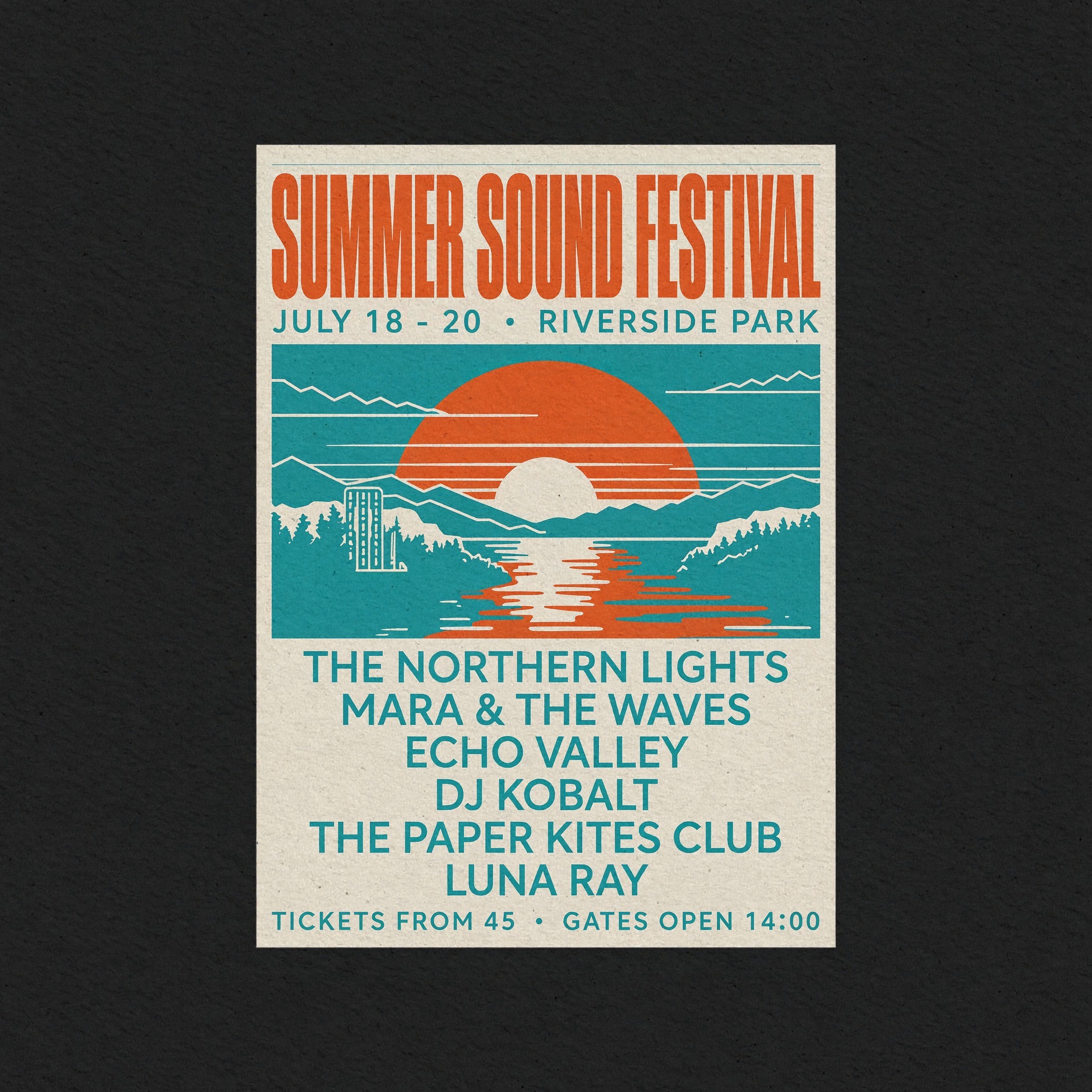
MiniMax-H3-Image now runs on one AMD Radeon AI PRO R9700 (32 GB). A 2048 x 2048 image takes 6.9 s and a 4096 x 4096 image takes 33.4 s, with the card at its 300 W power limit. The FP8 weights are on Hugging Face and the container is in our paiton-vllm-plugin repository.
The BF16 image checkpoint and the first 50 text-encoder layers needed for inference total about 120 GB of weights. This post explains what the model is, why it does not fit on an R9700, what we built so that it does, and how we checked that the images still match the original.
The concert poster above and the generated examples below come from a sandboxed R9700 test environment. Comparison images identify the BF16 reference and our FP8 output.
In this article
- What MiniMax-H3-Image is
- Why it does not fit
- What we built
- Speed
- Quality
- More examples
- Limits and setup
- License
What MiniMax-H3-Image is
MiniMax-H3-Image is MiniMax's open-weight model for text to image and image editing. Three things set it apart from the open image models we have run so far.
It makes large images directly. MiniMax gives a working range of 4 to 20 MP and says it does best around 16 MP, for example 4096 x 4096 (1:1) or 5472 x 3072 (16:9), with no upscaler in the pipeline. MiniMax compares that with the 1 to 4 MP that is common for open models today.
It needs only 6 sampling steps, with no classifier-free guidance. The checkpoint is distilled to six transformer passes per image, where many models run 20 to 50 steps and two passes per step when guidance is on.
One checkpoint does both generation and editing, with up to 16 reference images. It is also good at text inside images: posters, signs, menus and handwritten notes come out spelled correctly in most of our tests.
The architecture is a 33.1B-parameter single-stream diffusion transformer with 50 blocks, hidden size 5376 and 56 attention heads. The prompt and any reference images go through a Qwen3-VL text encoder; the reference images also go through the image VAE. Everything then becomes one packed token sequence. At 16 MP that sequence is about 16,400 tokens, and every block runs full attention over all of them.
Why it does not fit on an R9700
The image checkpoint is BF16 and totals 68.65 GB, including its VAE. The first 50 layers of the 32B Qwen3-VL text encoder add about 52 GB. The R9700 has 32 GB.
Estimated BF16 working weights and observed Paiton peak usage are different quantities. Host RAM is separate from GPU memory.
| Memory on the GPU | BF16 working weights | Paiton peak, 16 MP request |
|---|---|---|
| Image checkpoint, including VAE | 68.7 GB | See allocations below |
| First 50 text-encoder layers | About 52.0 GB | Streamed from host RAM |
| Resident FP8 transformer | Included above | 20.3 GB |
| Activations, VAE and resident text-encoder layers | Not counted in the weights total | 9.3 GB |
| Total shown | About 120.7 GB | 29.6 GB |
The Paiton build also uses 24.4 GB of pinned host RAM for the text encoder. 27.6 GiB is approximately 29.6 GB.
Loading the BF16 weights onto the card stops before the first step. Offloading them to system RAM would move tens of gigabytes over PCIe for each of the six steps; we did not try that route. MiniMax lists SGLang, vLLM-Omni, diffusers and ComfyUI among its local deployment options for the BF16 checkpoint.
Even plain FP8 is not enough on its own. An FP8 transformer and an FP8 text encoder together come to about 47 GB.
What we built
We wrote a native runtime for the whole pipeline: text encoder, transformer, VAE and an HTTP server that takes the same requests as MiniMax's own examples. It is HIP and C++ on Paiton's kernels, with no PyTorch and no Triton, and the container image is 2.27 GB.
AdaLN tables instead of AdaLN weights
Each transformer block has a modulation projection (AdaLN) that turns the timestep into scales and shifts for that block. Across the 50 blocks these projections hold about 13B of the 33.1B parameters, and their only input is the timestep. The distilled model always uses the same six timesteps. So we run the projections once, ahead of time, for those six timesteps and store the outputs as small tables. The result is exact, and 13B parameters never reach the GPU. That leaves 19.3B parameters on the card.
FP8 weights and activations, rounded with GPTQ
The remaining projections run in FP8 E4M3: one scale per output channel for the weights and one per token for the activations, so the matrix multiplies run on the R9700's FP8 units. The transformer takes 20.3 GB.
We tried several ways to choose the FP8 weights against BF16 reference activations. SmoothQuant and clipping by mean-squared error gave nothing for FP8 E4M3. GPTQ rounding cut the error of each matrix multiply by 19 to 31 % against plain rounding, and that is what we ship. A 4-bit weight variant ran at the same speed with twice the error, so we kept FP8.
A text encoder that streams from host memory
The text encoder's 50 layers are FP8 too, 24.4 GB in all. They live in pinned host memory and are copied to the card for each request, while up to 12 layers stay on the card when there is room. The encoder runs once per image, so this costs 0.7 to 0.9 s per request.
Running this close to the card's memory limit caused one problem. In early runs 3 of 54 denoising steps stalled because the GPU driver evicted our buffers near full VRAM. Capping the runtime at 27.5 GiB removed the stalls (0 of 60 steps).
Attention and the VAE
Attention uses INT8 for Q and K and FP8 for P and V. In isolation the last transformer block was the most sensitive to this, so we tested exact attention for single blocks. End to end, the images were no closer to BF16 with it, so every block uses the low-precision kernel. The VAE decoder uses INT8 weights and decodes 256 px tiles with the same overlap and blending as the reference.
Where the time goes
Each of the six steps is one HIP graph. At 16 MP a step takes about 5.2 s. In our profile the projection GEMMs took about 3.0 s of a step, running at 65 to 68 % of the card's FP8 peak, and attention about 2.3 s. The text encoder adds 0.7 to 0.9 s per request and the VAE decoder about 0.75 s at 16 MP. Peak memory is 27.6 GiB.
Speed
| Request | Output size | Reference images | Time |
|---|---|---|---|
| Text to image | 2048 x 2048 | 0 | 6.9 s |
| Text to image | 4096 x 4096 | 0 | 33.4 s |
| Edit | 4096 x 4096 | 1 | 39.9 s |
| Edit | 4736 x 3552 | 1 | 50.1 s |
| Edit | 4096 x 4096 | 3 | 88.5 s |
One R9700, 300 W limit, six steps. Published measurements · Timing boundary · Chart data.
Times cover the native model pipeline through the finished PNG, including output resizing, with a warm server and the card at 300 W. Request preprocessing, queueing and response transfer are excluded. Images below 4 MP are made on a 4 MP canvas and scaled down, as in MiniMax's pipeline, so a 1024 x 1024 request takes 7.1 s. Each reference image adds tokens to the sequence, which is why edits take longer.
Quality
We compared our build with the BF16 model in diffusers on 30 cases: 24 text-to-image prompts from 4 to 17 MP in several aspect ratios, and 6 edits with 1 to 3 reference images. Both sides used the same token ids and the same starting noise, so any difference comes from the numerics.
| Metric | BF16 | Our FP8 build |
|---|---|---|
| CLIP-L text-image score, mean | 32.31 | 32.18 |
| CLIP-L similarity to the BF16 image, mean / lowest | 0.979 / 0.855 | |
| DINOv2 similarity to the BF16 image, mean / lowest | 0.945 / 0.699 |
The text-image score is within the spread between cases. Most of the differences are in layout: a 6-step sampler takes a different path after small numeric changes, so some images are composed differently while showing the same content. Text, faces and product shots rendered correctly in these tests.
Edits stay closest to BF16, with image similarity of 0.96 to 0.999.
More examples
All made with the released weights at 4096 x 4096, about 34 s each, and shown here scaled to 2048 x 2048. We picked the better of two seeds for each prompt.
Not everything works. Small body text, such as the newspaper columns and some book spines, looks like writing from a distance but is not real words. Close-up hands, a clock set to three o'clock and a horse riding on an astronaut's back came out wrong in our tries.
Limits of this build
- Prompts are capped at 4,096 tokens. Each 1024 px reference image costs about 1,000 of them, so an edit takes about three references, not the model's 16. Raising the cap needs more text-encoder memory; we have not measured how much.
- The largest canvas is 16.8 MP (4736 x 3552). MiniMax's 21:9 size at 16 MP (6272 x 2688) is slightly larger and does not fit next to the weights.
- Requests run one at a time.
- The host needs 64 GB of RAM, because the text encoder streams from pinned memory, and 48 GB of disk for the weights.
- The same seed gives the same noise as the diffusers pipeline to within the last bit of each value, so images are close to, but not bit-identical with, BF16 runs from the same seed.
Try it
You need Docker, a ROCm-capable AMD driver and Python 3 on the host. Check the model licence before downloading or running it.
git clone --depth 1 https://github.com/Eliovp-BV/paiton-vllm-plugin.git
cd paiton-vllm-plugin
./models/MiniMax-H3-Image/launch.sh
In another terminal, from the same repository directory:
./models/MiniMax-H3-Image/run.sh generate "A red fox in fresh snow at sunrise" --size 4096x4096 --out fox.png
./models/MiniMax-H3-Image/run.sh edit "Make <Picture 1> a watercolor painting" --image photo.png --size 2048x2048 --out edit.png
The first start downloads 48 GB of weights from Hugging Face and checks each file against its SHA-256. The server
takes requests once it prints READY http://0.0.0.0:30000. The
guide has the full API and the
settings.
License
The model is under the MiniMax-H3-Image Community License. Its standard grant excludes the European Union, the United Kingdom, the Republic of Korea and the United States. The territorial restrictions also cover displaying and distributing generated outputs.
Commercial products must prominently show "MiniMax-H3-Image" in their interface. Hosted services for third parties, or licensees and/or affiliates with more than US$1 million in annualized revenue, need prior written authorization from MiniMax.
The images in this article were generated in a sandboxed test environment to illustrate our work on a single R9700. We do not control or monitor how others use the model. Before using it, readers are responsible for checking the licence and obtaining any required permissions.
Our Paiton framework also runs other image and language workloads on AMD GPUs. For MiniMax's video model, see our separate R9700 video-and-audio article.